AI Image Editor Transform Any Photo With Text
Describe the edit you want, such as a style transfer, a color grade, a background swap, or retouching, and Picverce AI transforms your photo instantly. No design skills required.
By generating you agree to our Terms & Privacy Policy
Our AI Tools
AI-powered photo enhancement, restoration, colorization, and object removal.
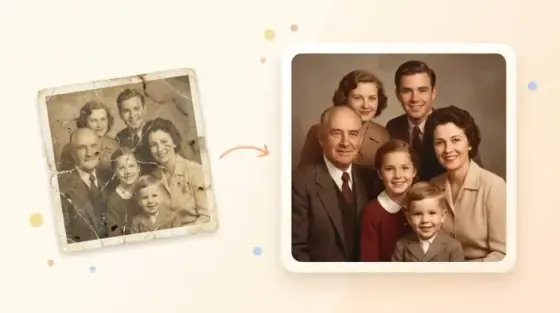
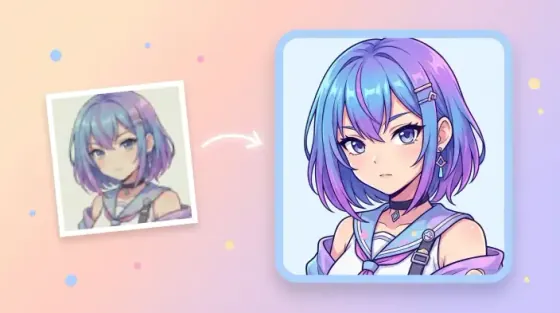
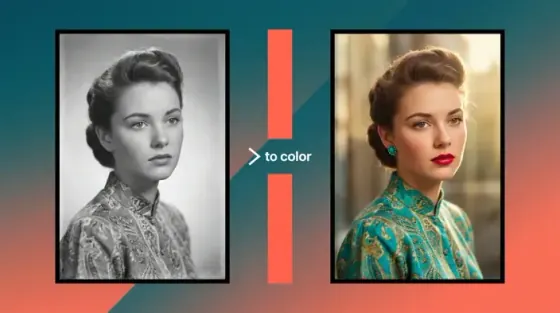
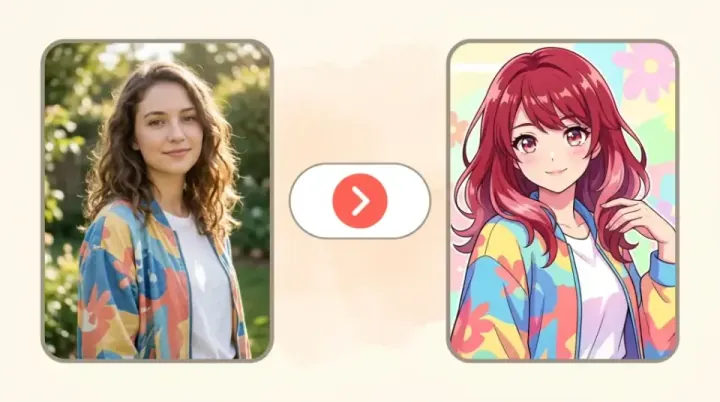
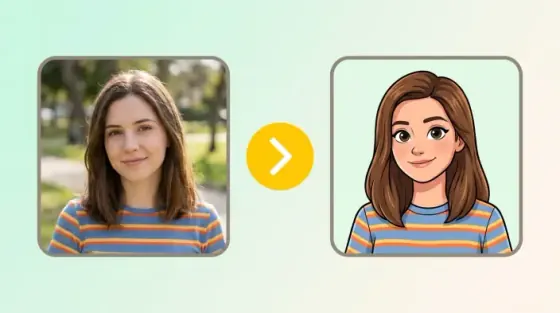
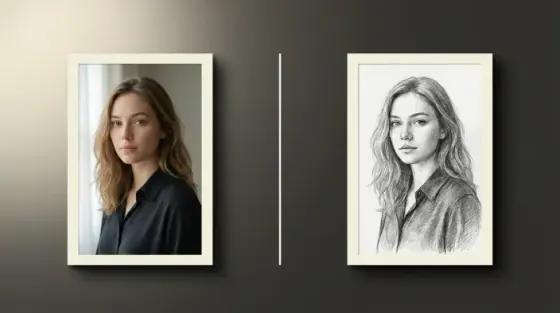
What the Picverce AI Image Editor can do
Describe the change you want and get the edited photo back.
Edit by describing the change
Write make the sky stormy or smooth the skin naturally. There are no layers, masks, or sliders between the instruction and the result.
No watermarks on downloads
Clean files for social, print, and ads.
Works on any device
Edit in the browser on phone or desktop.
Style transfer that keeps the subject
Oil painting, watercolor, anime, cinematic, and vintage looks apply across the photo while the subject and composition stay recognizable.
No editing software needed
Nothing to install or learn.
Seconds per edit
Most edits finish in well under a minute.
Private processing
Secure handling with history controls when signed in.
Background and sky replacement
Swap a flat sky for storm clouds or golden hour, or move the subject to a new environment with matching light direction.
Stack edits one at a time
Run a second instruction on the result.
Lighting and color control
Golden hour, studio, film grade, black and white.
Try with free credits
Edit photos within your plan limits.
Retouching and cleanup
Skin, detail, and product staging.
Have a photo to change?
Describe the edit you want in the prompt box above.
AI image editing results gallery
Drag the slider to compare each original with its edited version, then open the same edit in the generator.
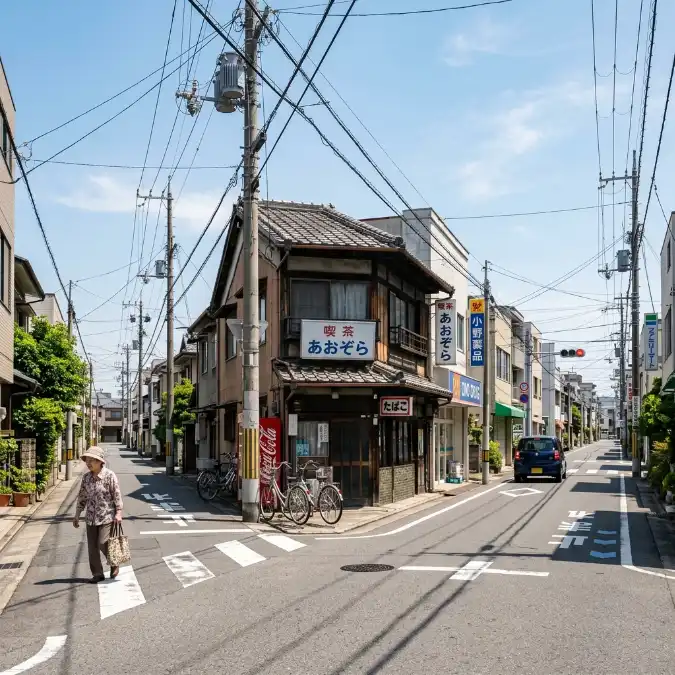 Before
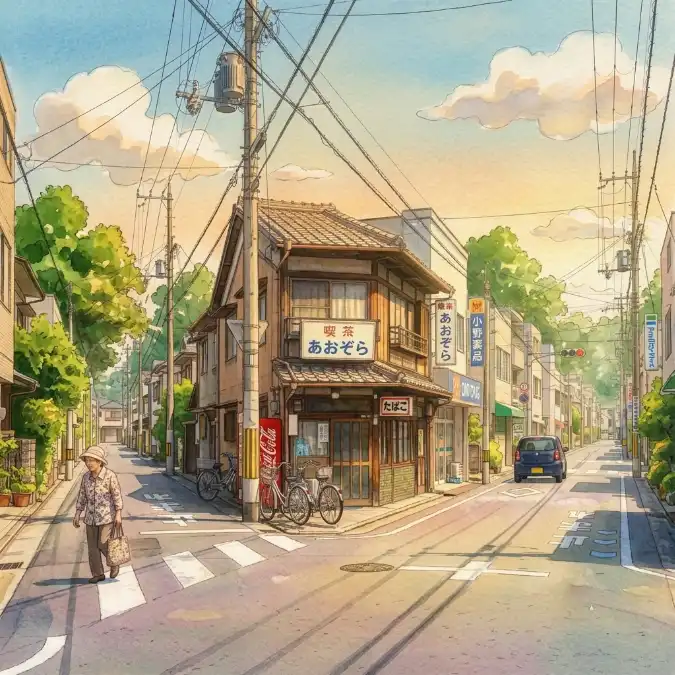 After
AfterTurn a photo into painted illustration
The whole frame is repainted while the subject, pose, and composition stay where they were. Useful when you want an illustrated version of a real photo.
- Subject and framing survive the restyle
- Hand-painted texture rather than a filter overlay
- Works on landscapes, portraits, and interiors
How to edit a photo with AI
Four steps from an original photo to the version you wanted.
Add your photo
Start from a JPG, PNG, or WEBP file. The clearest version of the original gives the AI the most to work with.
Describe the edit
Write the change in plain language, such as replace the sky with storm clouds or convert to a warm film grade.
Generate and compare
Picverce AI applies the edit in seconds. Run a second instruction on the result to stack changes one at a time.
Download the result
Save a high-resolution, watermark-free file for social, print, or a client deliverable.
Ready to change a photo?
Describe the edit you want in the prompt box above.
Loved by millions
See how creators, marketers, and developers are using Picverce AI to supercharge their workflows.
"This platform completely changed how I generate assets for my campaigns. The quality is unmatched and it saves me hours every single day."
Sarah Jenkins
Creative Director
"I've tried every AI generator out there, and nothing comes close to the precision and ease-of-use of Picverce AI. It's simply the best in class."
Marcus Chen
Lead Game Designer
"The upscaling and background removal tools alone are worth their weight in gold. A must-have tool for any modern digital business."
Elena Rodriguez
E-commerce Founder
"The speed and efficiency of Picverce AI is incredible. I can produce ten times the content I used to, all while maintaining top-notch quality."
David Miller
Content Creator
"Our ad campaigns have never looked better. The AI-generated assets perfectly match our brand style and have significantly boosted our click-through rates."
Aisha Patel
Marketing Manager
"I was skeptical at first, but this tool has completely won me over. It handles complex editing tasks in seconds that would normally take me hours in Photoshop."
James Wilson
Freelance Designer
"The image upscaler is absolute magic. It breathes new life into our older, low-res photos, making them completely usable for modern high-DPI displays."
Sophia Lee
Social Media Strategist
"Creating sprites and background assets used to be the biggest bottleneck in our workflow. Now we can rapidly prototype visual ideas without breaking a sweat."
Lucas Silva
Indie Game Developer
"The background removal tool is flawlessly accurate. It has streamlined our entire product photography pipeline, saving us thousands of dollars a month."
Emma Thompson
E-commerce Specialist
Frequently asked questions about AI image editing
Edit types, writing instructions, formats, and licensing.
It lets you change a photo by describing the change in plain language. Write convert to oil painting or add cinematic lighting, and Picverce AI produces the edited version without layers or masks.