AI Object Remover Remove Unwanted Objects in One Click
Brush over people, clutter, or text you do not want and the AI rebuilds the background behind them. Upload a photo to start editing.
By uploading you agree to our Terms & Privacy Policy
Our AI Tools
AI-powered photo enhancement, restoration, colorization, and object removal.


Why use the Picverce AI Object Remover?
Brush over people, clutter, and text you do not want, and let the AI rebuild the background behind them.
Paint over what you want gone
Brush across a photobomber, a bin, or a power line and the AI fills the gap from the surrounding scene.
No watermarks on downloads
Save a clean, full-quality file on every plan.
Most removals finish fast
Mark, process, and compare in under a minute.
Backgrounds rebuilt, not smudged
The model reads texture and perspective around the mark so sand, sky, and walls carry on naturally.
Works on phone and desktop
Runs in the browser. No install required.
Remove several things at once
Mark every distraction before you process.
Undo, redo, and brush sizing
Adjust the mask until it covers exactly the right area.
The rest of the photo stays untouched
Only the area you mark is regenerated. Everything else keeps its original resolution and detail.
Photos deleted after download
Processed in memory and purged when you save.
JPEG, PNG, WEBP up to 5 MB
Upload the format you already have.
Free daily removal credits
Try it free. Premium unlocks higher limits.
Best on simple backdrops
Sky, water, sand, and plain walls give the cleanest fills.
Ready to clean up a photo?
Upload above, mark the distraction, and download the clean version. Free to try.
Object Remover results
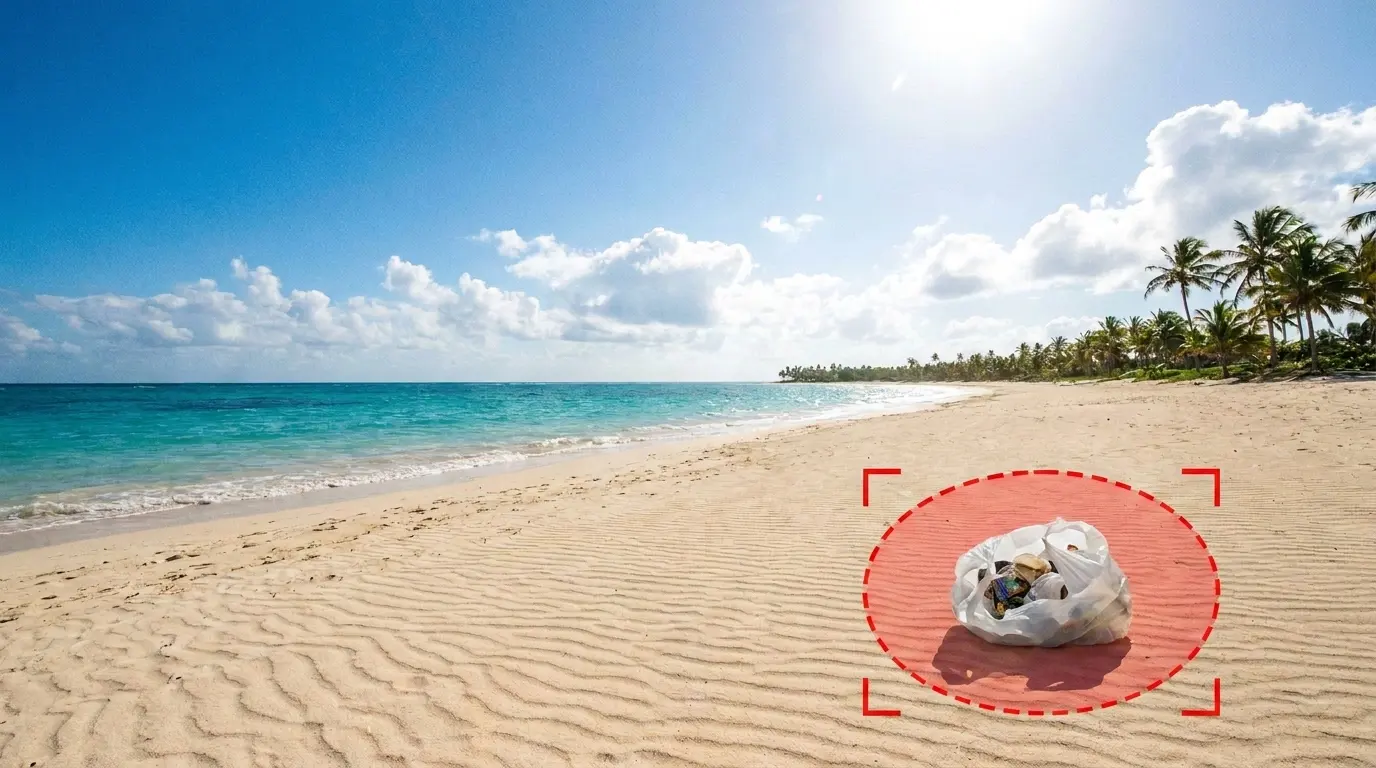
Each before image marks what will be removed. Drag the slider to see the cleaned after result.
 Before
 After
AfterClean litter and clutter from a scene
Mark trash or leftover clutter in the frame and the AI rebuilds the sand, grass, or floor underneath so the shot looks freshly cleaned.
- Highlights the object to remove
- Rebuilds continuous ground and sky
- Keeps natural light and color
How to remove an object from a photo
Four quick steps from a cluttered frame to a clean download, all in your browser.
Upload your photo
Drag and drop or click to upload. JPEG, PNG, and WEBP up to 5 MB.
Brush over what to remove
Paint across the person, object, or text you want gone. Resize the brush for tight edges.
AI rebuilds the background
The model reads the surrounding scene and fills the marked area so nothing looks cut out.
Download the clean image
Compare before and after, then save a high-quality file with no watermark.
Ready to see the difference?
Upload a photo above and erase the distraction in seconds.
Loved by millions
See how creators, marketers, and developers are using Picverce AI to supercharge their workflows.
"This platform completely changed how I generate assets for my campaigns. The quality is unmatched and it saves me hours every single day."
Sarah Jenkins
Creative Director
"I've tried every AI generator out there, and nothing comes close to the precision and ease-of-use of Picverce AI. It's simply the best in class."
Marcus Chen
Lead Game Designer
"The upscaling and background removal tools alone are worth their weight in gold. A must-have tool for any modern digital business."
Elena Rodriguez
E-commerce Founder
"The speed and efficiency of Picverce AI is incredible. I can produce ten times the content I used to, all while maintaining top-notch quality."
David Miller
Content Creator
"Our ad campaigns have never looked better. The AI-generated assets perfectly match our brand style and have significantly boosted our click-through rates."
Aisha Patel
Marketing Manager
"I was skeptical at first, but this tool has completely won me over. It handles complex editing tasks in seconds that would normally take me hours in Photoshop."
James Wilson
Freelance Designer
"The image upscaler is absolute magic. It breathes new life into our older, low-res photos, making them completely usable for modern high-DPI displays."
Sophia Lee
Social Media Strategist
"Creating sprites and background assets used to be the biggest bottleneck in our workflow. Now we can rapidly prototype visual ideas without breaking a sweat."
Lucas Silva
Indie Game Developer
"The background removal tool is flawlessly accurate. It has streamlined our entire product photography pipeline, saving us thousands of dollars a month."
Emma Thompson
E-commerce Specialist
Object Remover FAQ
Everything you need to know about erasing unwanted objects from photos with Picverce AI.
You brush over the part of the photo you want gone. The model then reads the texture, lighting, and perspective around that mark and regenerates the covered area so it blends into the rest of the scene.