Passport Photo Maker Passport and Visa Photos Online in the Right Size
Pick your document, take or upload a photo, and get it cropped to the exact passport photo size, like 2x2 inches for a US passport or 35x45 mm for a Schengen visa. If a check fails, you can fix it with AI.
By uploading you agree to our Terms & Privacy Policy
Your photo is measured and cropped in your browser. For the final check, and for any AI fix you pick, a copy is sent for processing and Picverce AI does not keep it.
The issuing authority makes the final decision on every photo.
Need a professional headshot instead? Try the AI Headshot Generator
Our AI Tools
AI-powered photo enhancement, restoration, colorization, and object removal.
What the Picverce AI Passport Photo Maker Does
Passport, visa and ID photos in the right size, from a photo you take yourself.
Exact size, AI fixes if you want them
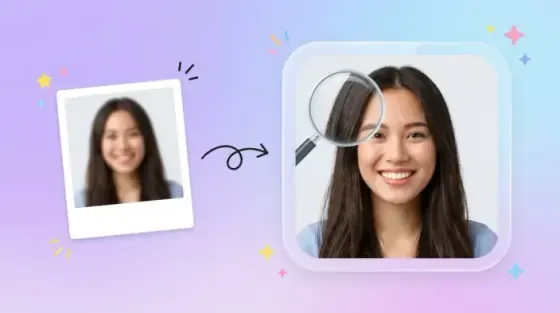
We crop and resize your photo to the exact size. If a check fails, you can fix it with AI: a closed mouth, a straight head, more space above your head or a plain background.
US, UK and Schengen
Each document uses its official rules, with a link to the source.
Use your camera
A face guide and a 3 second timer help you frame the photo.
Checks before you pay
Face position, head size, eyes, mouth, head angle, background, light and sharpness are checked in your browser, with a tip for anything to fix.
Standard sizes
2 × 2 in, 35 × 45 mm and 3 × 4 cm photos.
Photographer-only documents
For Canada, Germany and others we explain where to get the photo.
2 credits per photo
Every download for that photo and document is included.
Digital file and print sheets
Get the photo at its exact pixel size, plus 4 × 6 in, 10 × 15 cm and A4 sheets with cut guides.
Unlimited retakes
Retakes are free. Credits are used when you get the photo or pick an AI fix.
Private by design
Measured and cropped in your browser. Picverce AI keeps no copy of the final check or AI fixes.
Phone or computer
Works in the browser on any device.
Ready for your passport photo?
Upload a photo above or use your camera.
How to make a passport photo at home
Four steps from a photo you take yourself to a file in the right size.
Pick your document
Choose the passport, visa or photo size you need. Each document uses its official size and rules.
Take or upload a photo
Stand in front of a plain light wall with even light, or upload a recent photo. iPhone HEIC photos work too.
Fix anything the checks flag
The checklist shows what passes and what to fix, next to a watermarked preview at the document size.
Get your photo
Sign in and get the digital file and print sheets for 2 credits. The issuing authority makes the final decision on every photo.
Ready to start?
Pick your document and add a photo above.
Passport and visa photos you can make
Pick a document to open the maker with its official size, head height and background already set.
Frequently asked questions about the Passport Photo Maker
Documents, checks, credits, printing and privacy.
The US passport, the US visa, the UK passport online application and the Schengen visa, plus 2 × 2 in, 35 × 45 mm and 3 × 4 cm photos. For documents that only accept photos from a photographer or an office, such as the Canadian passport, the German passport and ID card and US green card forms, we explain where to get the photo instead.