How to write AI image prompts that work on any model
How to write AI art prompts that work on any model: put the subject first, cut the parts models ignore, and test one prompt across models cheaply.
TutorialsLearning how to write AI art prompts that hold up on any model comes down to what you put first and what you leave out.
A prompt that works on one model often falls apart on another. That is not the models being inconsistent, it is the prompt relying on things only one of them was doing.
Writing one that travels is a specific skill and it comes down to ordering. You can test it in the AI Image Generator, which runs the same prompt on different models.
Put the subject first and alone
Start with what the picture is of, in as few words as will do it. One clause, no decoration.
A brown leather armchair. A woman reading on a train. A ceramic mug on a windowsill.
Everything that follows modifies that subject, and every model reads the opening most reliably.
The most common failure I see is a prompt that opens with mood and gets to the subject in the third clause. The mood arrives and the subject is approximate.
Read your prompt back and ask what the first four words are about. If they are not the subject, reorder it.
Length is not the problem people assume it is. A long prompt is fine if it is ordered, and a short one still fails if it opens with adjectives.
Then setting, then light, then camera
That order holds up well across models because it goes from most concrete to most abstract.
- Setting. Where the subject is, in plain nouns.
- Light. Time of day, direction, hard or soft.
- Camera. Distance and angle, if it matters.
- Style. Last, and only if you actually want one.
Style words at the front tend to swamp everything else. A prompt that opens with cinematic gets you a cinematic something rather than the thing you asked for.
The same goes for artist names and film references. They pull the whole image toward a look and away from your description.
Use them last if you use them, and be ready to drop them when they cost you the subject.
The parts that get ignored
Some instructions almost never survive, and knowing which saves you rewriting the same failing prompt.
Exact counts are unreliable. Three apples often gives you two or four, and the more objects you name the worse it gets.
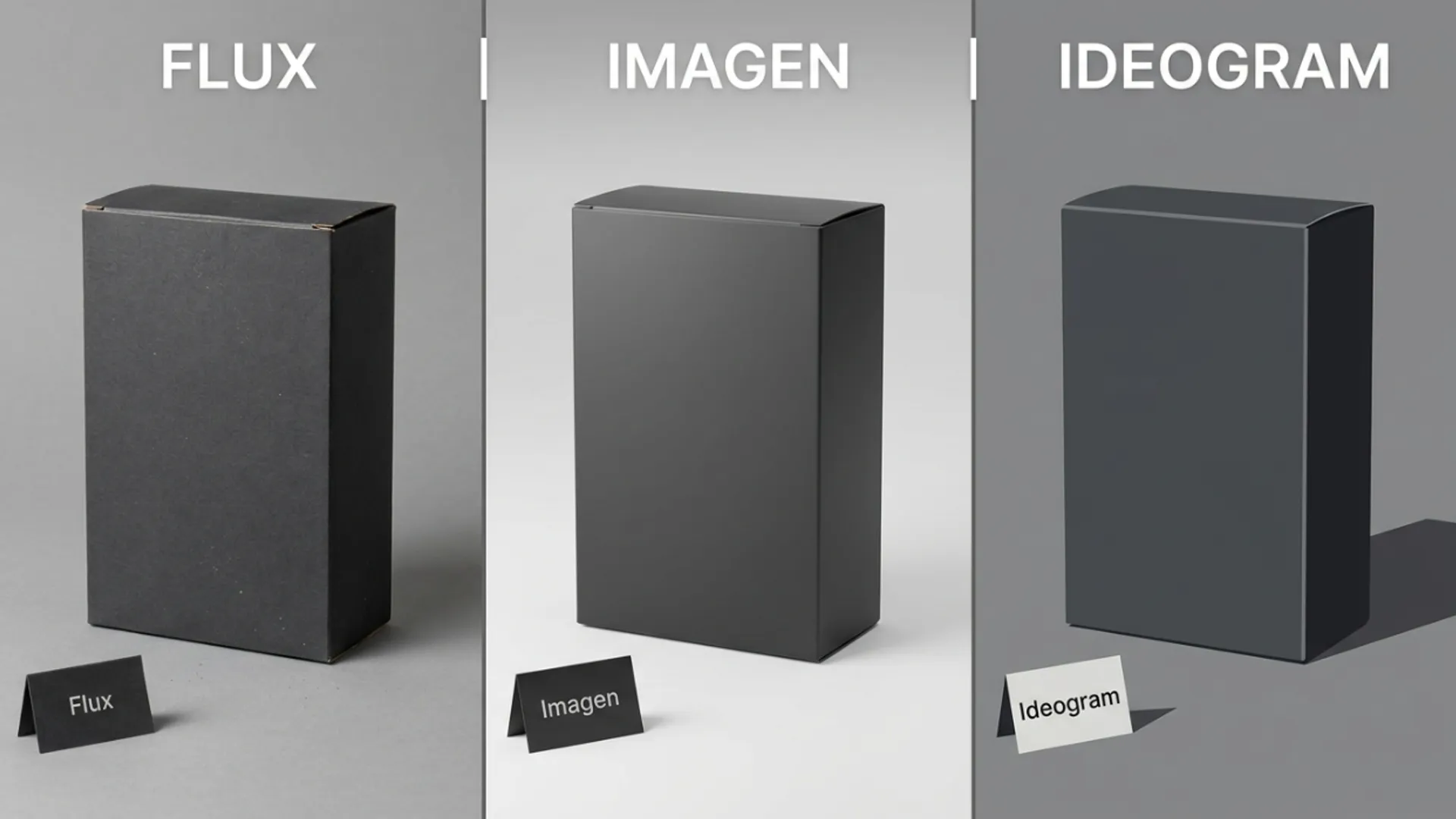
Text inside the image is model dependent. Some handle short words well and others produce shapes that look like letters from a distance.
Negatives are weak. Asking for no people frequently produces people, because the word is in the prompt either way.
Say what you want present instead. An empty room works where a room with no people often does not.
Spatial relationships between several objects are the hardest of all. Two or three named things in specific positions is beyond most prompts.
Simplify instead of fighting it. One subject and a described setting is far more reliable than three objects arranged precisely.
If the arrangement genuinely matters, generating the pieces separately and composing them yourself is the honest route.
Test it across models cheaply
This is where prompt writing becomes measurable rather than superstitious.
Run the same prompt on two or three models from the AI Models directory at the lowest resolution each one offers, with a single variation.
What survives everywhere is the durable part of your prompt. What only appears on one model is that model doing you a favour.
Credits are attached to resolution, so a low resolution comparison is genuinely cheap and tells you almost everything.
When I tested a prompt this way, the setting and light came through on all three and the specific camera lens I named came through on none. I stopped writing lens names after that.
Do the drafting in the generation workspace where you can switch models without retyping anything.
When to leave prompt help on
Some models offer to rewrite your prompt into something longer before running it, and whether that helps depends on where you are.
Leave it on for a first attempt at a vague idea. It fills in the setting and light you did not specify, and that is often enough to see whether the idea works at all.
Turn it off once your prompt is deliberate. At that point it is overwriting choices you made on purpose, and it makes results harder to compare between runs.
It also makes a prompt less portable, because what actually ran was not what you wrote.
If you are building a prompt you intend to reuse, keep it off from the start so what you save is what runs.
Fixed preset tools work the opposite way, where the whole instruction is written for you, and the trade off there is spelled out in Picverce AI Photo to Anime styles and controls.
Subject first, concrete before abstract, style last, and test cheap. That is a prompt that travels.
Keep the ones that work. A prompt you can reuse across jobs is worth more than any single image it produced.
Store them somewhere you will find them again. History keeps the settings next to each image, which is the easiest place to look one up.