Make a canvas piece from a short prompt
A step by step run from one short line to a canvas ready still with the Picverce AI Wall Art Generator, and the ratio decision that comes first.
TutorialsA canvas piece needs less prompt than people write. One subject, one palette, and the right shape gets you further than a paragraph.
Here is the run in order, and the first step is the one that decides whether the rest was worth doing.
Decide the shape before the picture
Go and look at the wall. That sounds obvious and almost nobody does it before opening the tool.
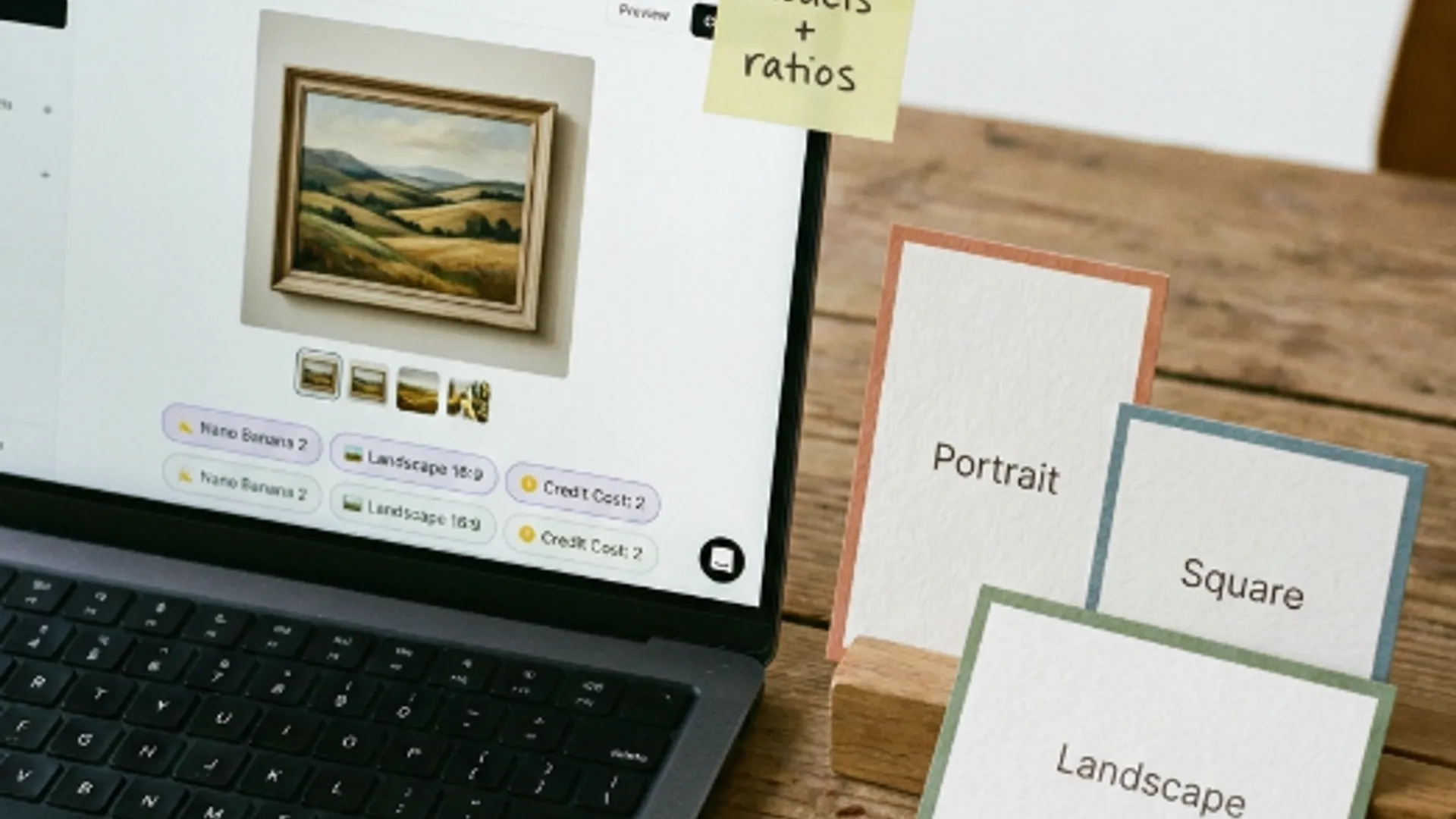
The workspace gives you three tabs. Portrait at 9:16, Square at 1:1, and Landscape at 16:9.
- Above a sofa or a bed, Landscape. The space is wider than it is tall.
- A stairwell, a narrow alcove or beside a door, Portrait.
- A gallery wall of several pieces, Square. They tile without a fight.
- Genuinely unsure, Square. It survives being cropped either way later.
Set that tab first. Composition is arranged around the frame, and changing the frame afterwards means running it again rather than cropping.
I learned that the expensive way with a piece I composed square and then wanted tall. The balance was in the side margins, and cropping to portrait removed exactly the part that made it work.
Write two clauses and stop
A subject and a palette. That is a complete wall art prompt and it is usually better than a longer one.
The starter chips on the landing page are worth reading as examples rather than as buttons. Layered abstract shapes in sage and bone, matte texture, mid century balance is one of them, and it is doing exactly that.
Notice what those starters do not contain. No lighting direction, no camera language, no mood adjectives stacked three deep.
Wall art is decorative, so the palette carries more of the result than the subject does. Naming two colours you would actually live with beats describing a feeling.
Draft cheap before you commit
Open the AI Wall Art Generator, type your two clauses, and send. You land in the workspace with the prompt and the wall art style grid already in place.
Leave the style on No Style for the first run. You want to see what your prompt does on its own before a preset starts adding to it.
Pick the lowest resolution the model offers and one variation. The settings panel shows the credit cost with the model and resolution named under it, so you can watch that number while you decide.
Getting the composition wrong at high resolution costs the same as getting it right, which is the whole argument for drafting low.
If the first draft has the shape roughly right, you are in business. If the subject is wrong, fix the prompt rather than reaching for a style.
Add a style only if it needs one
Fifty presets sit in that grid and the temptation is to try them all. Two is usually enough.
Match the preset to what your prompt already is. Abstract prompts take abstract presets like Organic Modern or Color Field. Representational prompts take painterly ones like Soft Wash Art or Watercolor Wash.
Pairing them the other way is where results go strange. A preset built to break shapes will happily break the mountain you wanted to keep.
Run the same prompt on two presets at the same low resolution, then compare. That is four cheap drafts total and it answers the style question properly.
When I did this with a misty lake prompt, Soft Wash Art kept the water reading as water and Sharp Abstract turned it into a flat band. Neither was broken, they were just answering different questions.
Take the winner up and stop
Once the composition and the style are settled, raise the resolution and run it once more.
That is the run you keep. Everything before it was a decision, and this one is the file.
Variations are worth turning on now rather than earlier. At this point you are choosing between good versions of a settled idea instead of fishing.
How many you can ask for is set by the model, so the option may look different depending on which one you are on.
Download the file rather than leaving it in history. Retention depends on your plan and a print shop needs a file on your machine anyway.
Check it at full size before sending it anywhere. Canvas is unforgiving about a soft edge in a way a screen is not.
If you want the same workspace without the wall art theme, the AI Image Generator is the general door and every setting behaves the same once you are inside.
The prompt discipline here is the same one that makes a prompt portable between models, worked through in write a prompt that survives the model.
Shape, two clauses, cheap drafts, one expensive final. Four steps and most of the credits go on the last one.