How to turn a photo into a coloring page
How to turn a photo into a coloring page: pick a photo that works, choose a line style for kids or adults, and print custom pages for birthdays and pets.
TutorialsA coloring page of your own dog, your house or your child's birthday is far more fun to color than a random cartoon. You can make one from a photo in a few minutes.
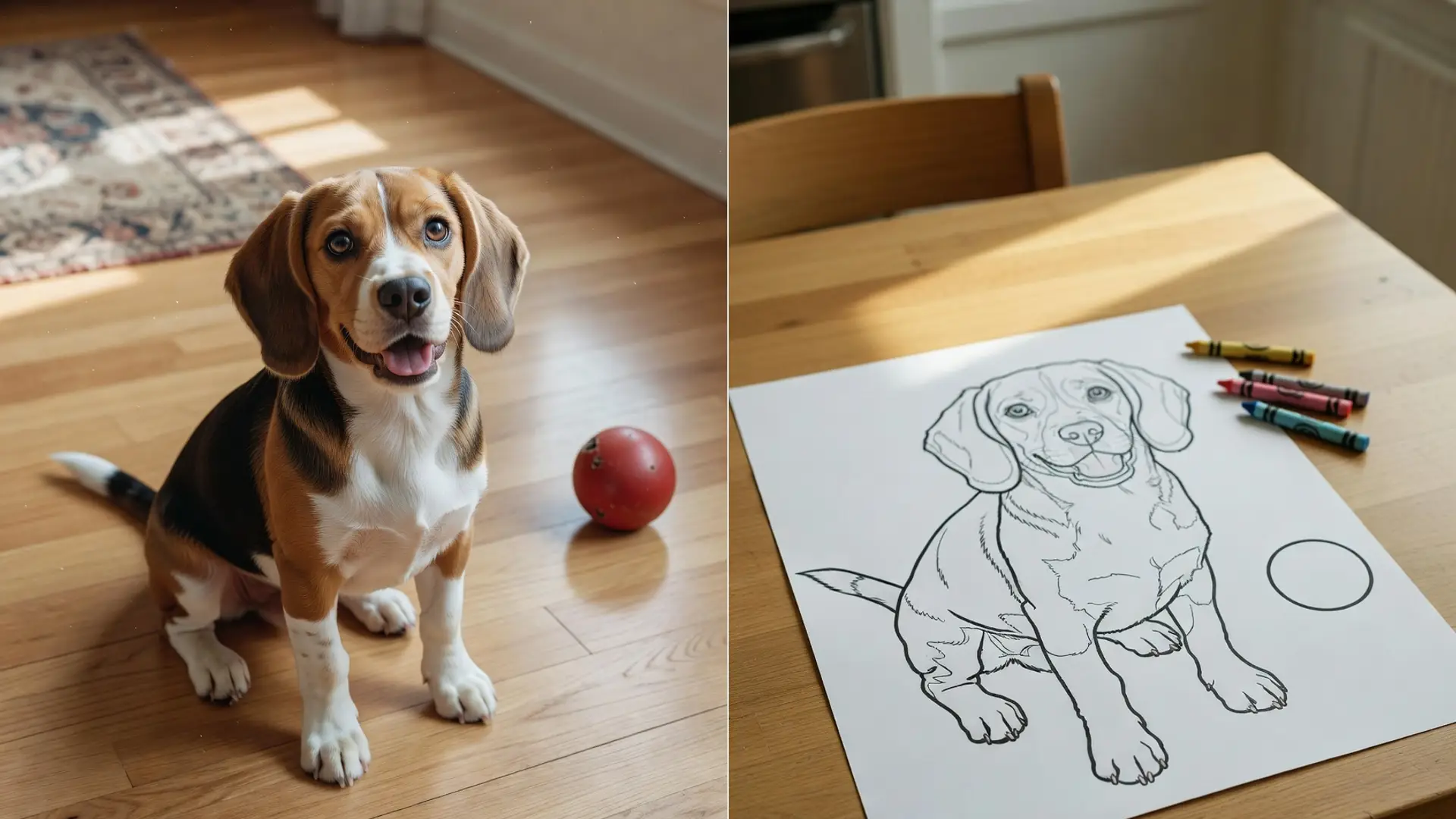
The AI coloring page generator redraws an uploaded photo as a black and white page you can print. This guide covers which photos work, how to pick a style, and how to print it well.
What makes a good coloring page
A good page is easy to color, not just nice to look at.
- Bold, clear black outlines on a white background.
- Closed shapes, so every area has an edge to color up to.
- No shading, gray tones or hatching to fight with the crayons.
- Few tiny details for young kids, and more for older kids and adults.
The generator is set up to follow these rules: black outlines only, a pure white background, closed continuous lines and an even line weight, with no text or watermark added.
Closed lines matter more than you might think. A shape with a gap in its outline is hard for a small child to color neatly, because there is no clear place to stop.
Pick the right photo
The photo decides how clean the lines come out. Simple photos make the best pages.
- One clear subject, like a pet, a person, a car or a house.
- A plain or simple background. A busy room turns into a page full of tiny shapes.
- Good light, so the edges of the subject are easy to see.
- A sharp photo. Blur turns into wobbly, broken lines.
The page keeps the main subject recognizable, in the same pose and composition as your photo. If the subject is small in the frame, crop the photo first so it fills most of the picture.
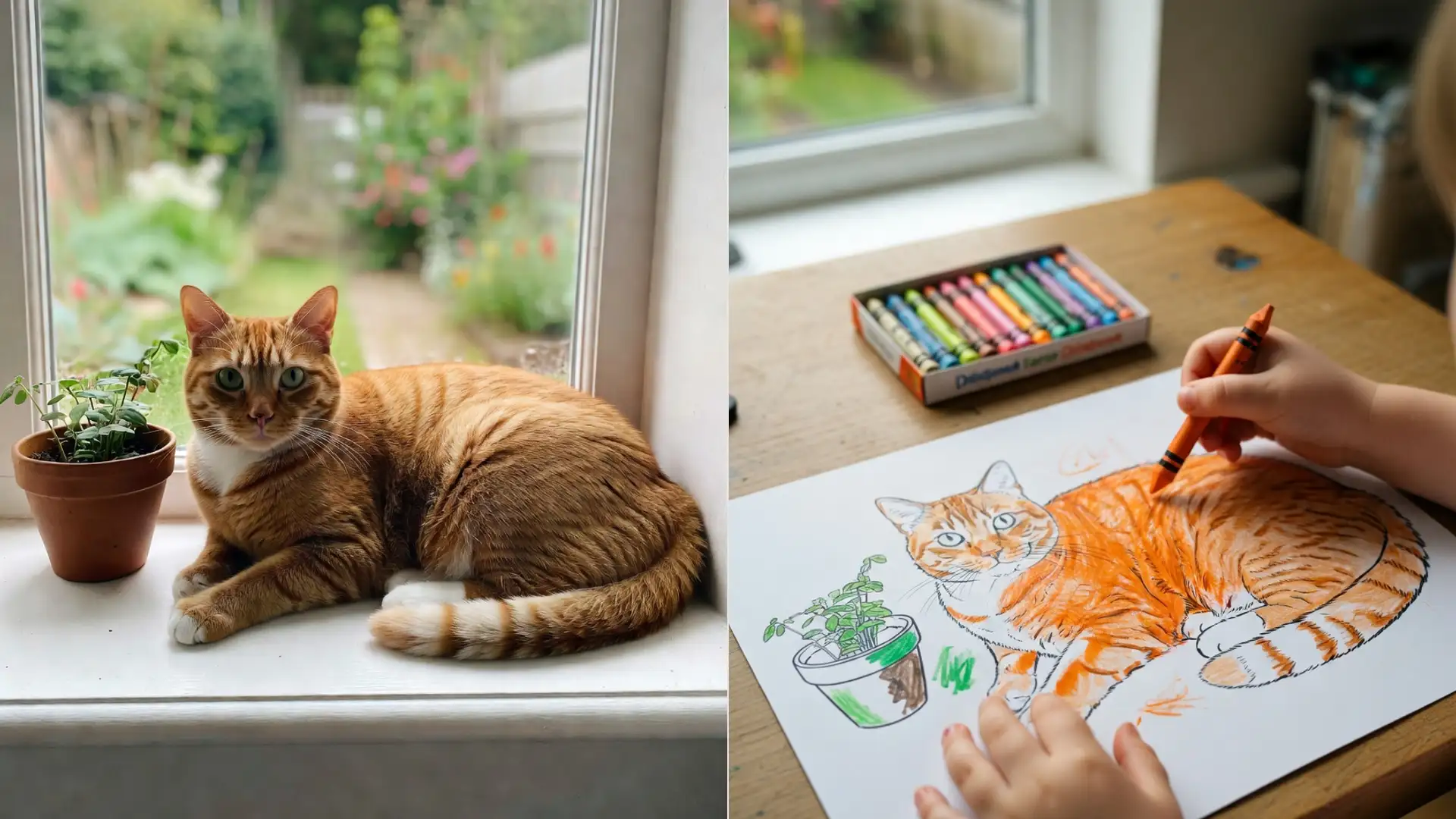
Pets work especially well. A dog or cat sitting still on a plain floor gives clean fur outlines and a face kids recognize at once.
Group photos are harder. Four small faces become four tiny drawings. For a family page, pick a photo where everyone is close together and fills the frame.
Step by step
- Upload your photo. Image files up to 5 MB work.
- Pick a style. There are 30, grouped into Line weight, Seasonal and occasion, Theme, and Art treatment.
- Generate it. Each page costs 3 credits, and the Free plan gives you 10 credits a day.
- Check the lines and download the page.
Pick the line weight by age. Toddler thick lines and Kids simple keep shapes big and few. Classic outline suits most kids. Adult detailed and the fine line style add much more to color.
The other groups change the look. Seasonal and occasion styles add things like Birthday or Christmas touches, Theme styles add a setting like Space or Underwater, and Art treatment styles such as Mandala or Stained glass change the drawing itself.
Want shading and texture instead of clean outlines? A photo to sketch conversion gives you a pencil drawing, which looks great framed but is harder to color. The post on converting a portrait to pencil line shows that route.
Ideas for custom coloring pages
Custom pages make good party activities and small gifts.
- Birthday party pages: a photo of the birthday kid with the Birthday style, printed for every guest.
- A pet page: the family dog or cat, so kids color their own pet.
- A name page: a photo of the child holding a card with their name in big letters, so the name becomes part of the page.
- A family page: one simple group photo, outlines only, for grandparents to color with the kids.
- Seasonal pages: Halloween, Christmas, Easter or Summer holiday styles on a recent photo.
- Theme pages: Dinosaurs, Space, Underwater or Farm animals for kids with a favorite topic.
For a party, make one page per child from the same photo in different styles. Everyone gets something a little different.
Each page costs 3 credits. On the Free plan, that is three pages a day, enough for a small party set.
Print it well
A clean print makes coloring easier.
- Print in black and white, at full size on the paper. Do not shrink it to a corner.
- Use thicker paper if kids will use markers or paint. Thin paper soaks through.
- Check the print preview for cut off edges and turn off any page header or footer your browser adds.
- Print a test page first, then the stack.
Keep the downloaded file. You can print the same page again next week, or send it to family so they can print it too.
For a small coloring book, print a stack of different pages and staple them along one edge. A pet, a house and a family photo make a book that is all about one child, and it costs very little to print.