What the anime pass keeps from your face
Eight of the nine Picverce AI anime styles promise to keep your likeness and one deliberately does not. What survives the pass and what always goes.
Image EditingEvery anime style on the site promises something about your face, and they do not all promise the same thing. One of the nine promises noticeably less.
Knowing which is which stops you judging the AI Photo to Anime tool on a card that was never trying to look like you.
Eight cards make the same promise
Ghibli, Shonen, Shojo, Seinen, Manga, Webtoon, Cyberpunk and Realistic all carry the same underlying commitment.
They ask for your identity, your pose and the composition to stay intact, and for the facial likeness to survive the stylisation.
Ghibli is also the fallback. Hand the tool a style name it does not recognise and that is what you get, which only happens with hand built links.
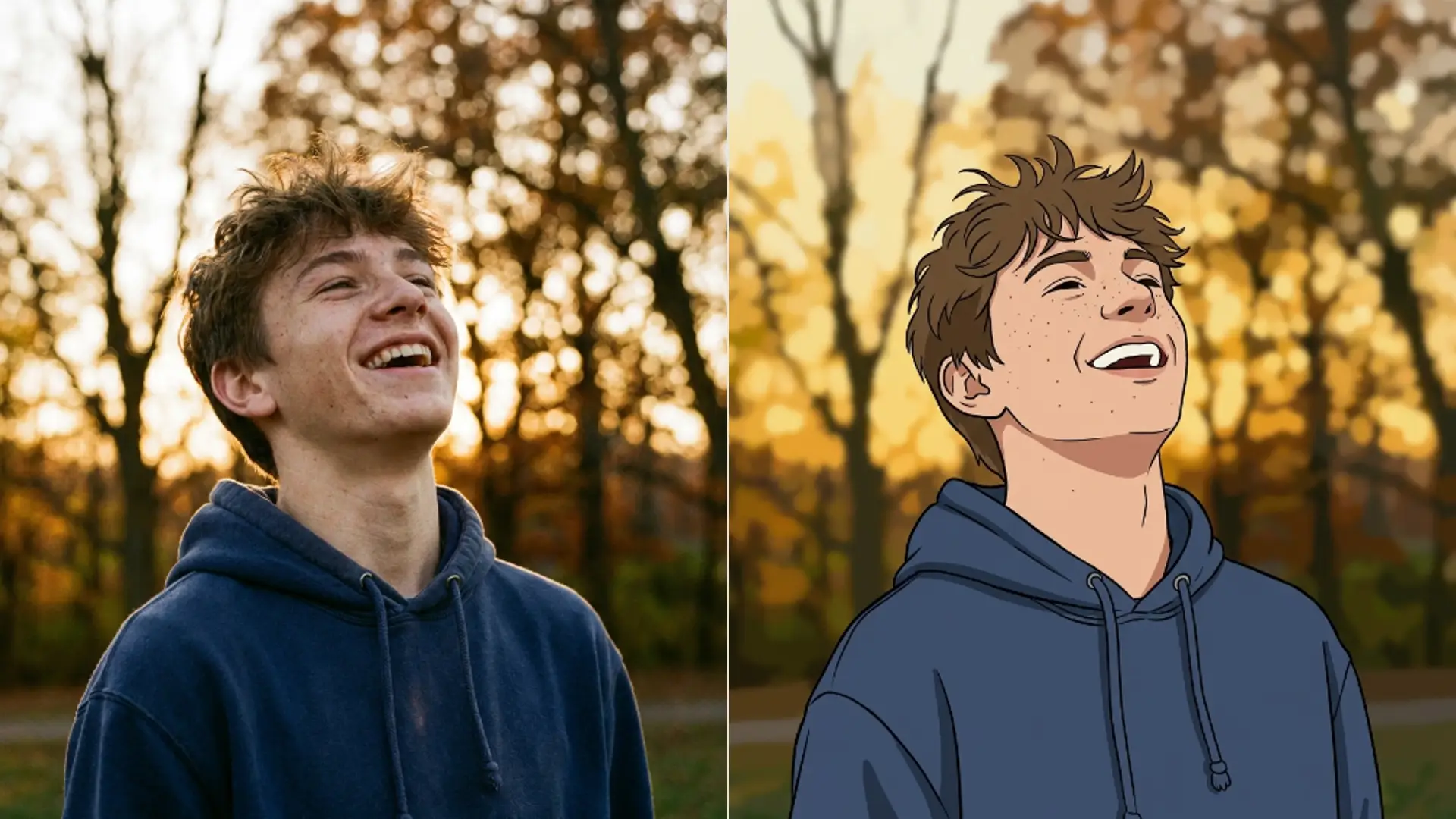
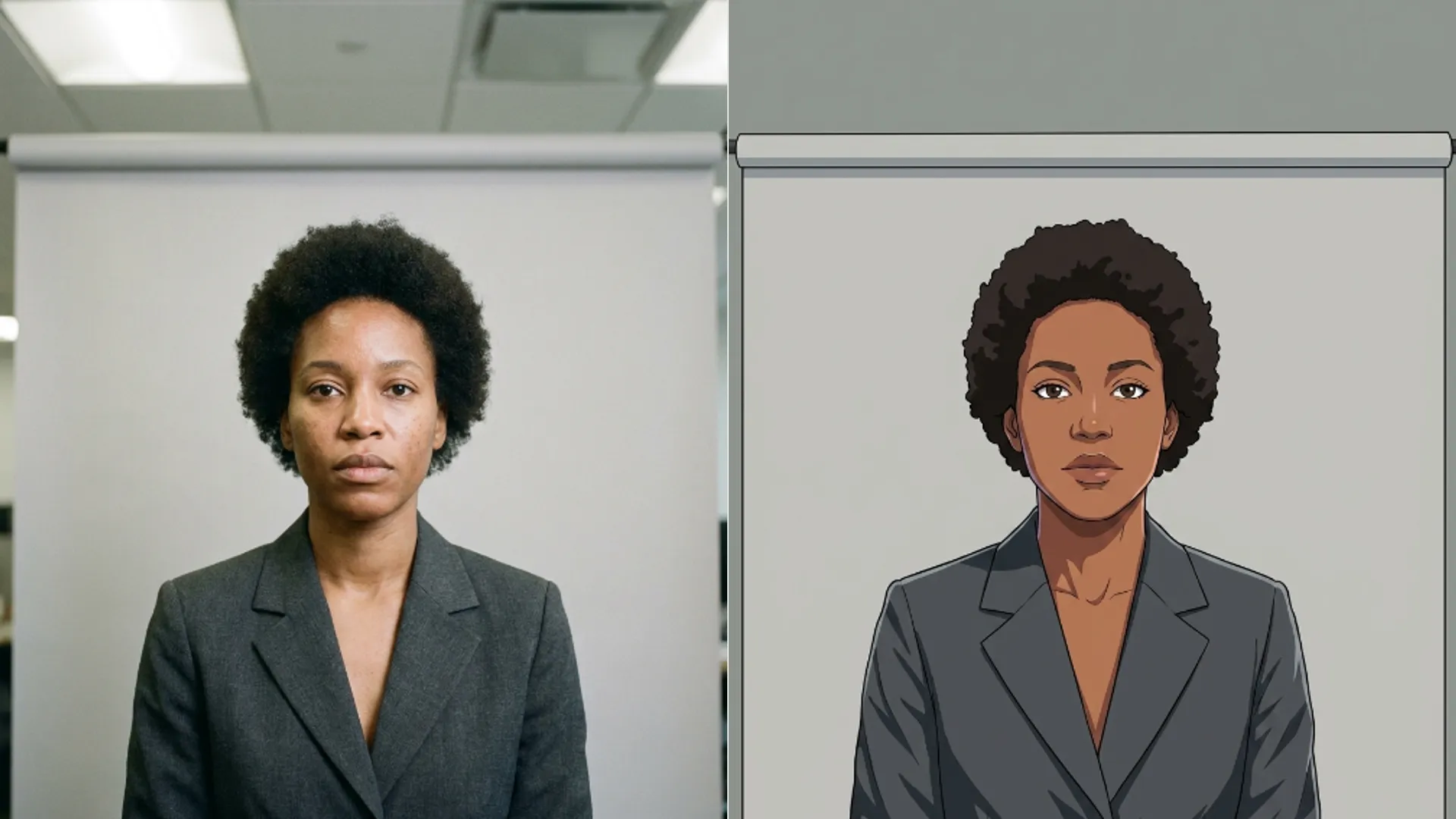
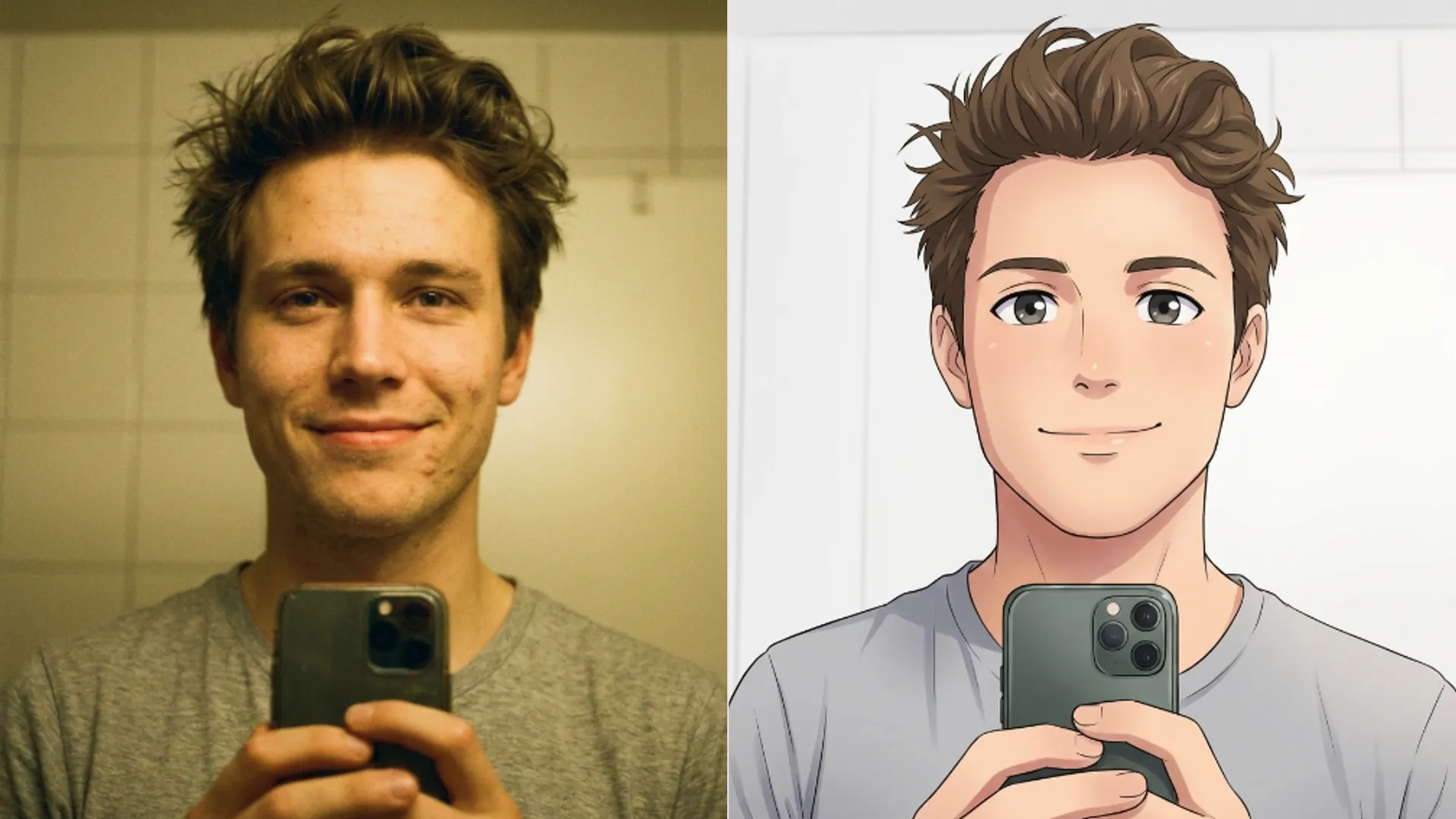
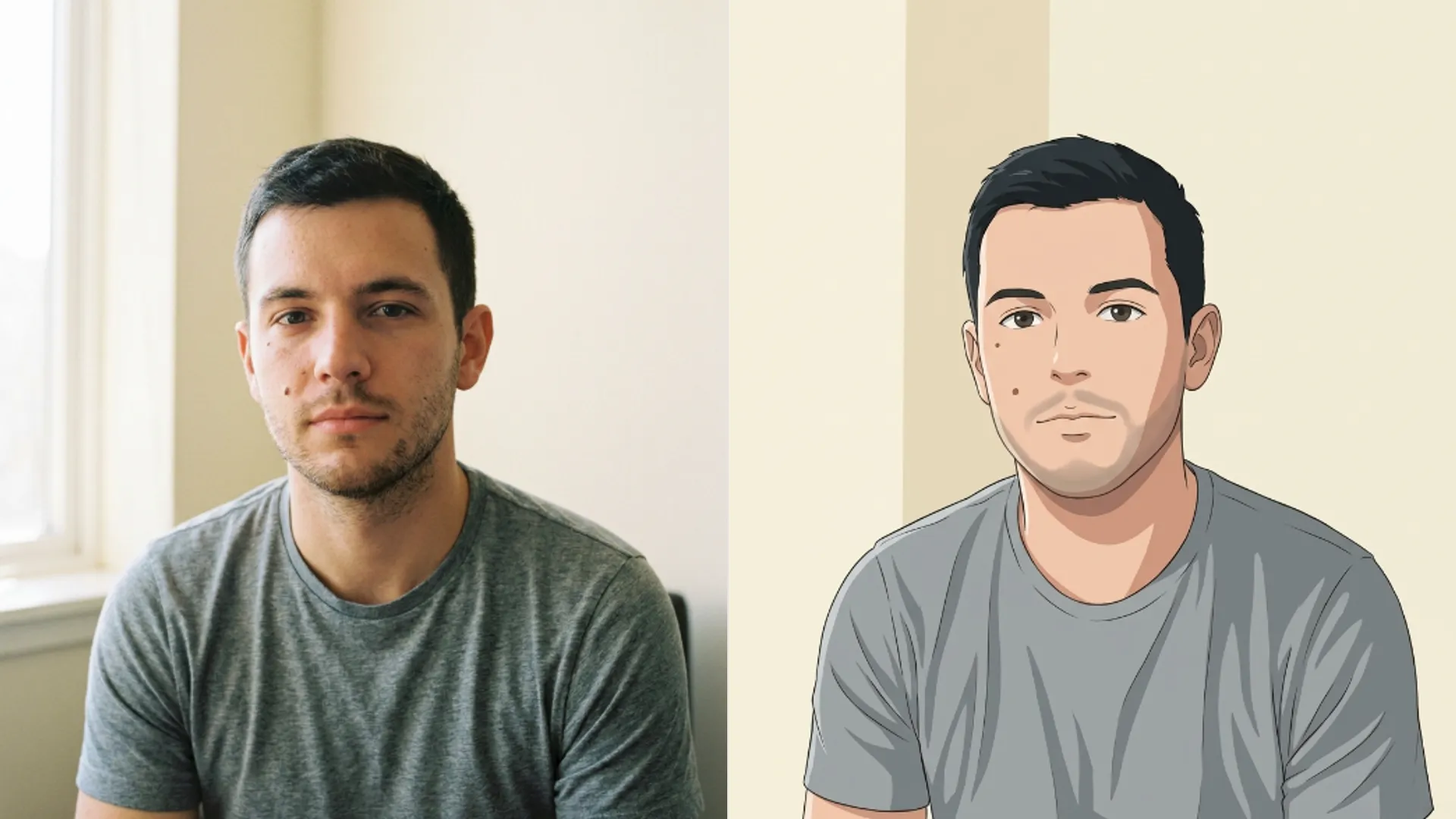
What that promise means in practice is that the geometry of your face carries through. The distance between your eyes, the width of your jaw, the shape of your hairline.
What it does not mean is that the rendering stays faithful. Skin becomes flat colour, eyes get larger, and shading replaces photographic detail.
So the honest description is that these cards keep your proportions and replace your surface.
That is a fair deal and it is what people actually want. A portrait that kept your skin texture would not look like anime at all.
Chibi is the deliberate exception
Chibi asks only that your identity and main features stay recognisable, then rebuilds the proportions on purpose.
Oversized head, small body, large eyes. That is the entire point of the style and it is not the model failing at a portrait.
If somebody needs to recognise you at a glance, avoid it. If you want a mascot rather than a likeness, it is the only card that gets you there.
Every other card on the list is a restyle of your actual face. Chibi is a character design based on it.
That distinction is worth holding because it explains most complaints about the tool. People pick Chibi expecting a portrait and get exactly what the card is for.
Use it for a profile picture, a sticker, or a group of friends rendered as a set. Avoid it for anything somebody has to identify you from.
What always goes regardless of card
Some things disappear on all nine, and knowing them saves you re running to check.
- Skin texture. Pores and fine lines become flat shading on every card.
- Exact eye colour detail. The iris becomes a designed shape rather than a photographed one.
- Fine hair strands. Hair becomes blocks and highlights rather than individual strands.
- Reflections in glasses, which are the single most common complaint.
Glasses deserve a specific note. Frames survive reliably, and thin wire frames sometimes merge into the eyebrow line where the two run close together.
Manga loses colour entirely because it is the only monochrome card. That surprises people who picked it for the line work and expected it tinted.
Earrings and small jewellery behave like thin frames. Anything smaller than a few pixels of detail gets simplified into a shape.
When I ran the same headshot through all nine, Realistic and Seinen came back close enough to be interchangeable, while Shojo and Chibi were clearly doing something else to the same face.
Shonen and Shojo sit at opposite ends of the same axis. One sharpens the jaw and the brow, the other softens both and enlarges the eyes.
If your face is already angular, Shojo will fight it and Shonen will lean into it.
How to get more of yourself through
The pass works from what it can see, so the input decides the ceiling.
Crop to head and shoulders before uploading. A full body photo spends the effort on a room and gives your face a fraction of the attention.
Face the light. Anime shading needs a readable face underneath it, and a heavily backlit subject gives it almost nothing to work with.
Avoid group shots. The instruction is written around one subject and a second face gets the leftovers.
Facial hair is worth testing rather than assuming. Some cards render a beard as a shaded block and others keep the edge, and which is which depends more on your photo than on the card.
Your file is converted before it is sent, so a transparent background does not survive the trip. That catches people working from a cutout.
Unlike the photo repair tools, there is no size ceiling trimming your image first, so a large sharp source genuinely arrives intact and is worth using.
There is still an upload limit on the file itself, and your image is converted on the way out, so a very large original gets compressed rather than refused.
If none of the nine is the look you pictured, the AI Photo to Cartoon tool carries a much wider catalog and the same trade between faithful cards and transformative ones.
The full list of nine and what separates them is in Picverce AI Photo to Anime styles and controls.
Eight cards keep your proportions and swap your surface. One rebuilds you on purpose. Pick accordingly.