Make a token from a character sheet
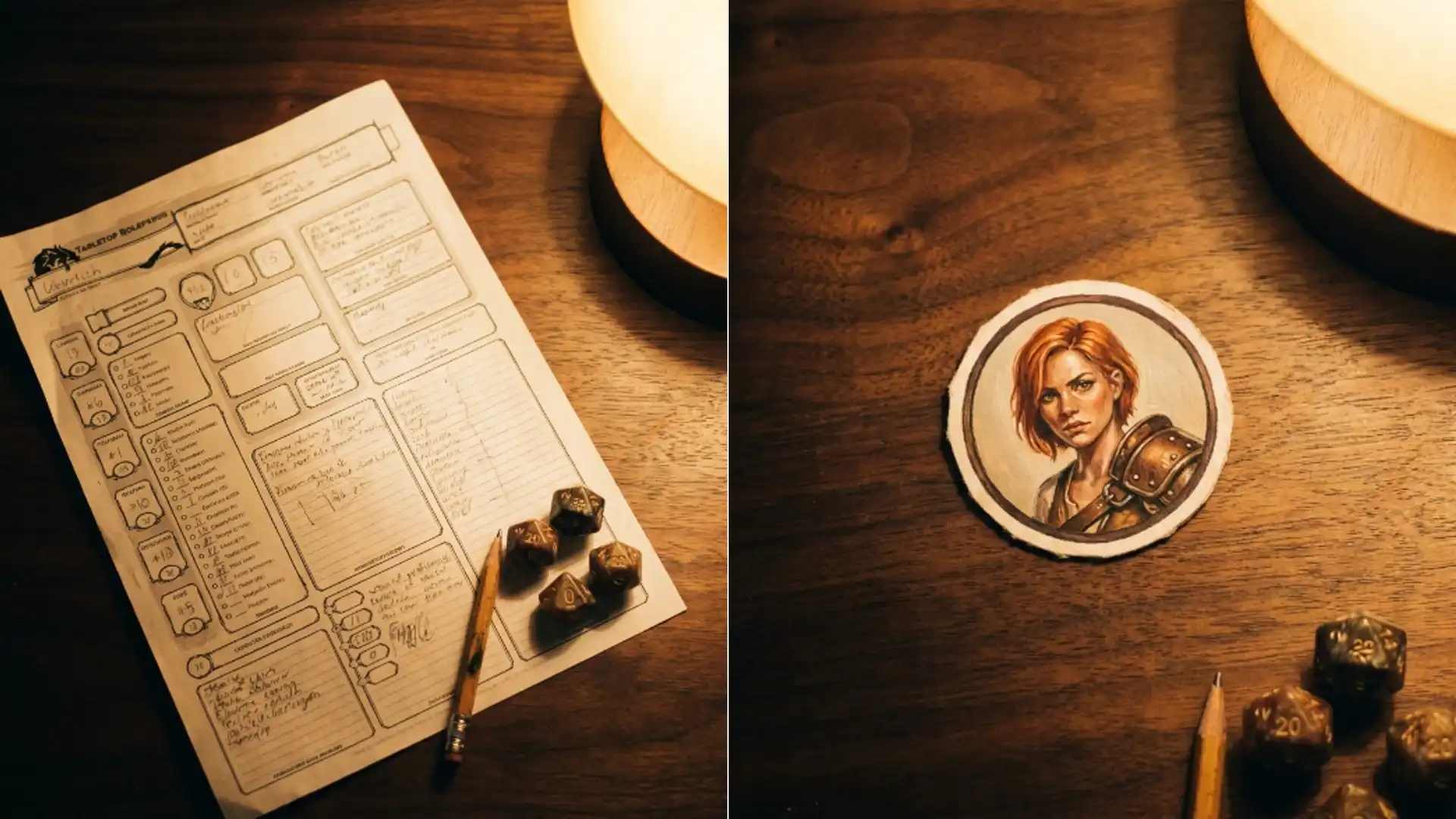
Turn a written character into a round virtual tabletop token using the Picverce AI DnD art generator, then cut the background so it sits on the map cleanly.
TutorialsA token is a small circle that has to be identifiable at about sixty pixels across. That constraint decides everything about how you write the prompt.
Most generated character art fails as a token for the same reason. It is a full body shot, and a full body shot shrunk to a circle is a smudge.
Six art directions to choose from
Typing into the DnD AI art generator carries your prompt into the generation workspace with a grid of six styles plus a No Style option.
- Classic RPG. Painted rulebook illustration, the safest default.
- Dark fantasy. Lower key, heavier shadow, less readable when small.
- Concept art. Looser, more sketch like, designed to show a character rather than finish one.
- Modern 3D render. Clean and high contrast, which survives shrinking well.
- Watercolour. Soft edges, which is the one that suffers most at token size.
- Anime or JRPG. Bold outlines and flat colour, the most legible small.
For tokens specifically, the last two on that list are the ones that hold up. Bold outlines and flat colour are exactly what survives being made tiny.
Watercolour and dark fantasy both look better at full size and both turn to mush in a circle. That is worth knowing before you spend anything.
Classic RPG sits in between and is the right pick if the tokens also need to work as portraits in a character sheet or a handout.
Write the sheet into one paragraph
A character sheet has too much in it. Most of what is written there is invisible in a portrait.
Pick the four things somebody would notice across a table. Species, one distinctive feature, the main colour, and whatever they are holding or wearing at the shoulders.
Everything else goes. Boots, class levels and backstory are not visible in a head and shoulders crop.
Ask explicitly for a head and shoulders portrait facing forward. Without that clause the model defaults to a full body heroic pose almost every time.
When I built a party of five this way, naming the crop was the single change that took it from unusable to usable. The first batch without it was five tiny full body figures.
Add a plain background to the prompt. A busy scene behind the character makes the cutout harder later and adds nothing at token size.
Name a background colour that contrasts with the character. A pale figure on a pale backdrop is harder to cut and harder to read small.
Strong silhouette is the phrase that helps most. It tells the model the shape matters more than the detail, which is exactly true here.
Square ratio and nothing else
There are three ratio tabs and only one of them is right here. Square gives 1:1, which is what a circular crop needs.
Generate portrait and you will lose the sides of the head to the circle. Generate landscape and the character sits marooned in the middle of a lot of empty frame.
Set the tab before you generate anything worth keeping. The small preview shape beside the tabs is the quickest way to confirm it took.
Leave a little air around the head in the composition. A circular mask eats the corners, and a portrait that fills the square edge to edge loses the top of the hair.
Horns, hats and tall ears are the specific casualties. Anything that extends above the head needs that margin or it gets clipped by the mask.
The credit figure in the settings panel follows the model and the resolution you pick. Draft low while you settle the description, since a token is small anyway.
One caution on that last point. Generate the keeper at a decent resolution even though the token is small, because virtual tabletop software scales tokens up when players zoom.
Cut the background for the tabletop
Most virtual tabletop programs want a transparent square so the token sits on the map rather than on a coloured tile.
Run the finished portrait through the AI Background Remover and you get a cutout with the plain backdrop gone.
This is why the plain background clause earlier matters. A clean separation between the character and the backdrop makes the cut far more reliable.
Check the hair and any fur or feathers at full size. Those are where a cutout frays, and a fringe of leftover background is visible against a dark map.
Weapons held close to the body are the other trouble spot. A staff crossing behind the shoulder sometimes goes with the background.
Fixing a frayed edge is usually not worth it for a token. Regenerating with a cleaner backdrop is faster than repairing a cut.
The wider set of rules about which edges survive a cut is in Picverce AI Background Remover cutouts.
Apply the circular mask in your tabletop software rather than in the image. Most of them do it for you, and keeping the square file means you can change tools later.
Do the whole party in one sitting with the same style and the same background colour. Tokens made weeks apart look it, and they sit next to each other on every map.
Square ratio, head and shoulders, plain backdrop, bold style. Four decisions and the rest is just running the batch.