


Change a car color with a prompt
A step by step run for recolouring one object in a photo with the Picverce AI Image Editor, and the clause that stops the rest of the shot changing.
This car wrap visualizer shows your own car in a new wrap color. Upload a photo, pick a finish and one of 16 colors, and compare the AI preview with your photo before you book the shop.
Photo tips
By uploading you agree to our Terms & Privacy Policy
AI-powered photo enhancement, restoration, colorization, and object removal.
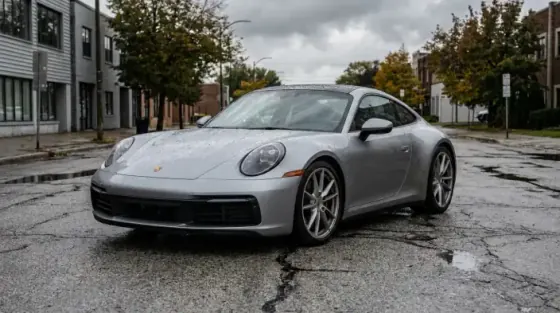
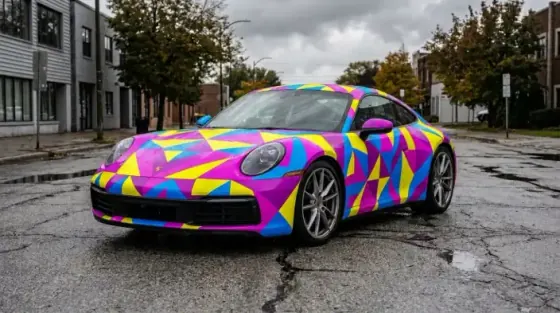
Edit photos with AI using text prompts.
Create stunning images from text prompts.
Your own car in a new wrap color, before you book the shop.
From black, white and cement gray to racing green, royal blue, orange and pink, each with a labeled swatch.
Drag the slider to compare the wrap with your photo.
Every preview this visit stays as a labeled thumbnail.
Gloss, satin, matte and metallic for every color, plus chrome and carbon fiber.
Add a gloss black roof to any color.
The free plan's 10 daily credits make 2 previews.
Signed-in results are kept for your plan's History period.
Wheels, windows, lights, badges, the plate and the background are kept, so you judge the color on your real car.
Downloads come without a Picverce AI logo.
You pick from set colors and finishes, so the result is the wrap you asked for.
Take the photo on your phone and try colors right there.
Upload a photo of your car above.
The photo on the left, the AI preview on the right. All five were made with this tool.
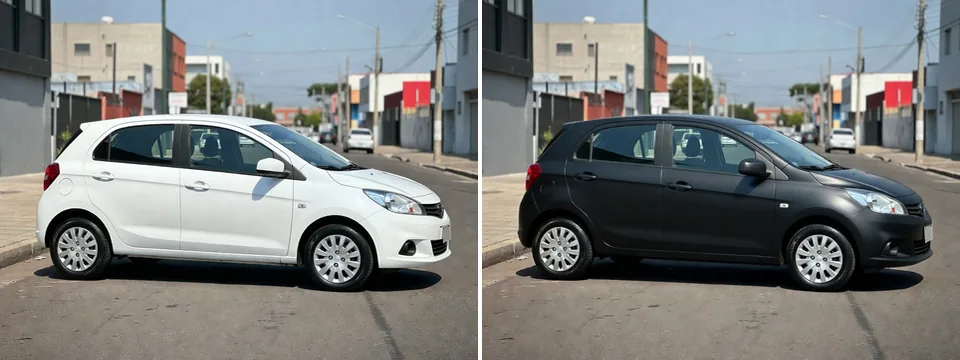
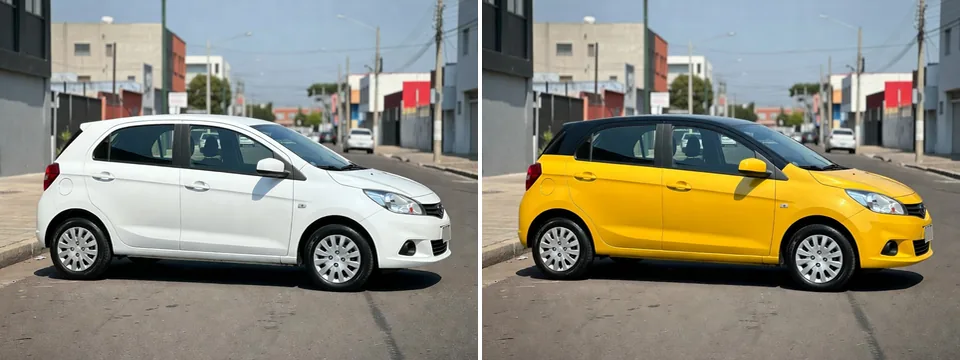
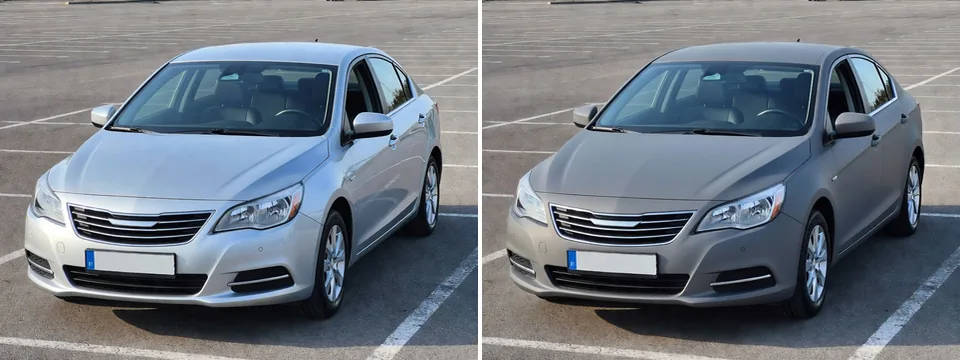
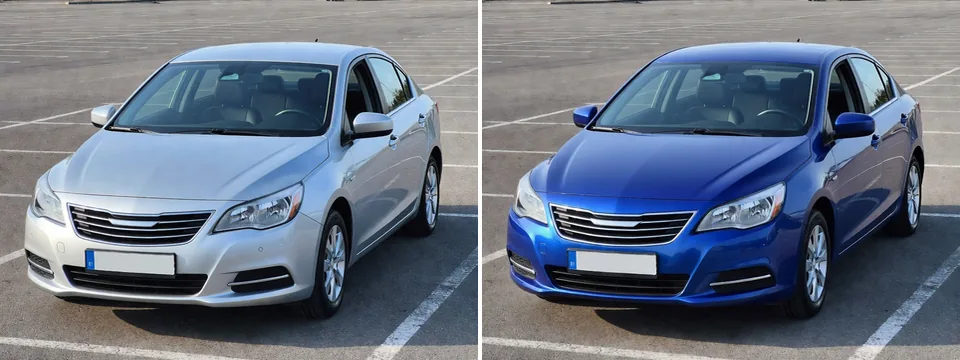
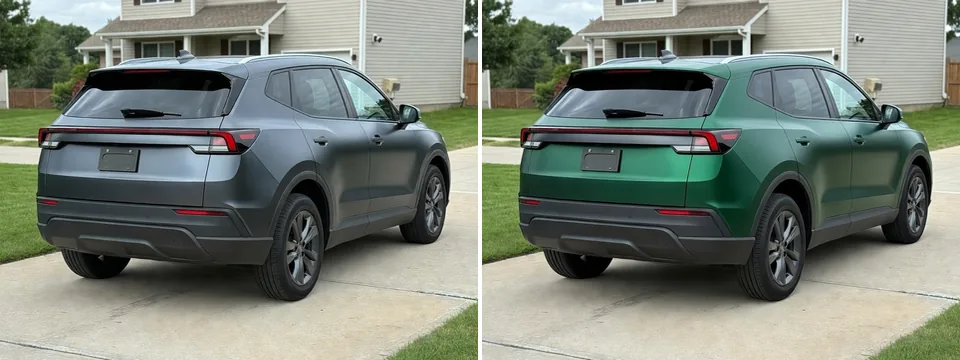
The same color looks different in each finish. Use this tool as a car color changer for your own photo, then compare a few finishes before you choose.
Sharp, mirror-like reflections, like new paint. Colors look deep and rich, and it is the closest to a factory paint job.
A soft, low sheen between gloss and matte. Body lines show without hard reflections. Grays and dark greens suit it well.
Flat, with no shine. Light spreads softly over the curves, so the shape of the car stands out. Black and dark gray are popular.
Gloss with fine metal flake that sparkles where the light hits. Blues, reds and silver show the flake best.
Mirror silver that reflects everything around the car. It is loud, so try it on your own photo first.
A black woven pattern under a gloss finish. Often used on parts such as hoods and roofs, shown here on the whole body.
Four steps from a photo to a wrap preview.
A JPG, PNG or WEBP up to 5 MB, with the whole car in the frame.
Choose gloss, satin, matte or metallic and one of 16 colors, or chrome or carbon fiber. Add a black roof if you like.
Press the button and wait a few seconds. Each preview uses 4 credits.
Drag the slider, try another color on the same photo, and download the ones you like.
Upload a photo of your car.
A step by step run for recolouring one object in a photo with the Picverce AI Image Editor, and the clause that stops the rest of the shot changing.
How to make a white background product photo from a kitchen table shot: cut it out, put white behind it, check four edges, and see what Etsy asks for.
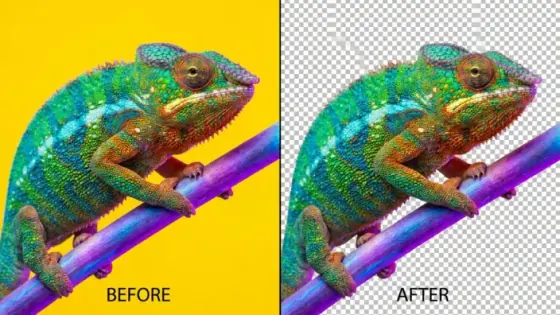
How to remove the background from an image: get a transparent PNG, a solid color or a new backdrop, what a cutout costs, and the edges worth checking.
What you get with every tool on the site.
Enhance, upscale, restore, remove backgrounds, generate images and make cards, signs and flyers from one account.
The free plan refills each day, so you can try the tools before you buy credits or a plan.
Every tool page, guide and help text is available in both languages.
Signed-in results stay in your History for 3 days on Free and up to 90 days on Premium. You can delete them sooner.
Developers can run the same tools from code with an API key, or from an AI assistant through the MCP connector.
Make any result bigger for print or large screens without starting over.
Colors, finishes, credits and your photo.
You upload a photo of your car and pick a finish and a color. AI recolors the painted body panels in that wrap and keeps the wheels, windows, lights, badges, plate and background as they are. You get a before and after you can compare and download.
A daylight photo of the whole car from the side or a three-quarter angle, without heavy shadows on the body. One car in the frame works best. If there are several, the largest car near the center is wrapped.
They are approximate. Screens show colors differently, and the AI preview depends on the light in your photo. Use it to narrow down your choice, then look at a real swatch with your installer before you order.
Gloss, satin, matte and metallic with each of the 16 colors, plus chrome and carbon fiber. You can also add a gloss black roof to any color except black.
Not in this version. The wheels, rims, tires, windows and tint stay as they are in your photo, so you only see the change in body color.
Each preview costs 4 credits, for every color and finish. The free plan gives you 10 credits a day, which is 2 previews. Paid plans and credit packs add more.
Your photo is uploaded to our storage and sent to the AI model to make the preview. When you are signed in, the photo and the result stay in your History for the same period as your other images, from 3 days on Free up to 90 days on Premium, and you can delete them sooner.
Yes. A shop can take a photo of a customer's car, try a few colors and finishes, and show the previews side by side. Treat them as previews, and confirm the final color with a real swatch on the car.